Showtime
参考:
1、编译ShowTime.framework 1.1、下载ShowTime, 并打开ShowTimeExample项目 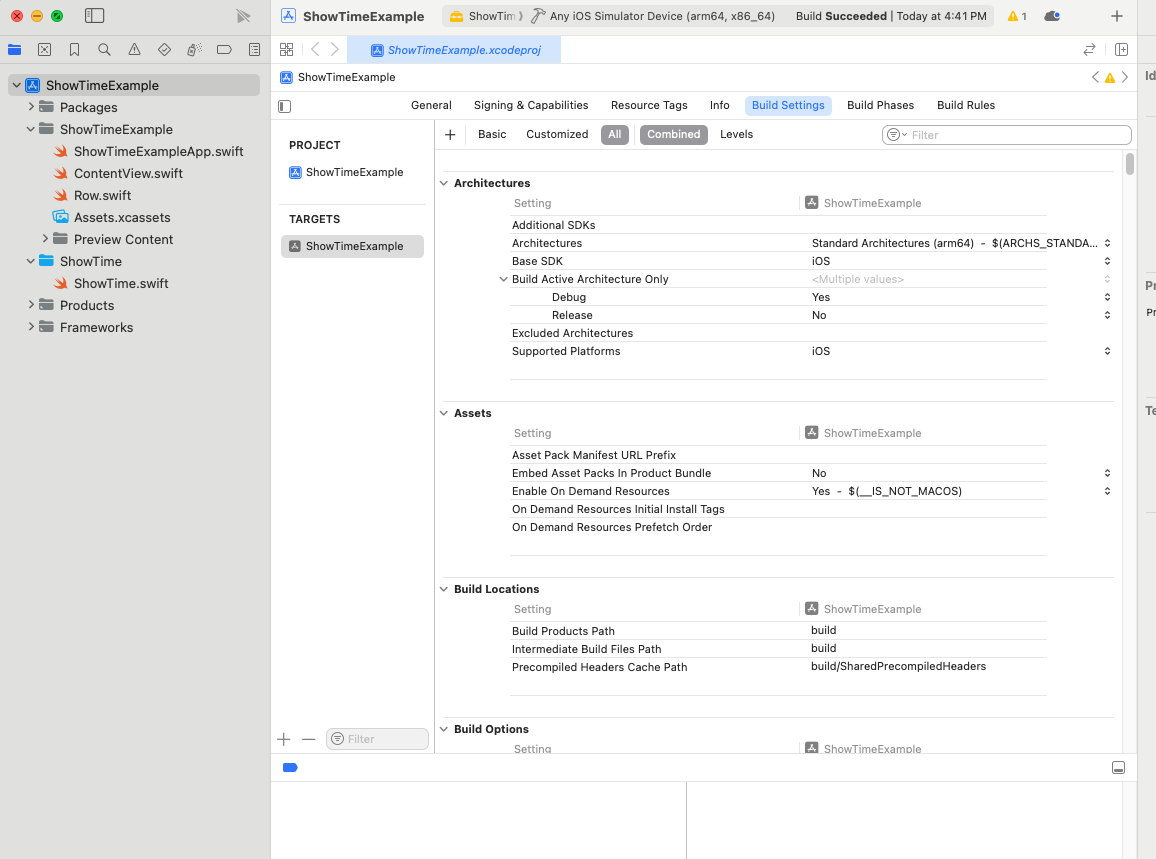
1.2 在xcode里创建一个一个Target: 步骤1: + -> iOS -> 搜索framework -> 选中 Frameworks & Library -> Framework -> 点击Continue 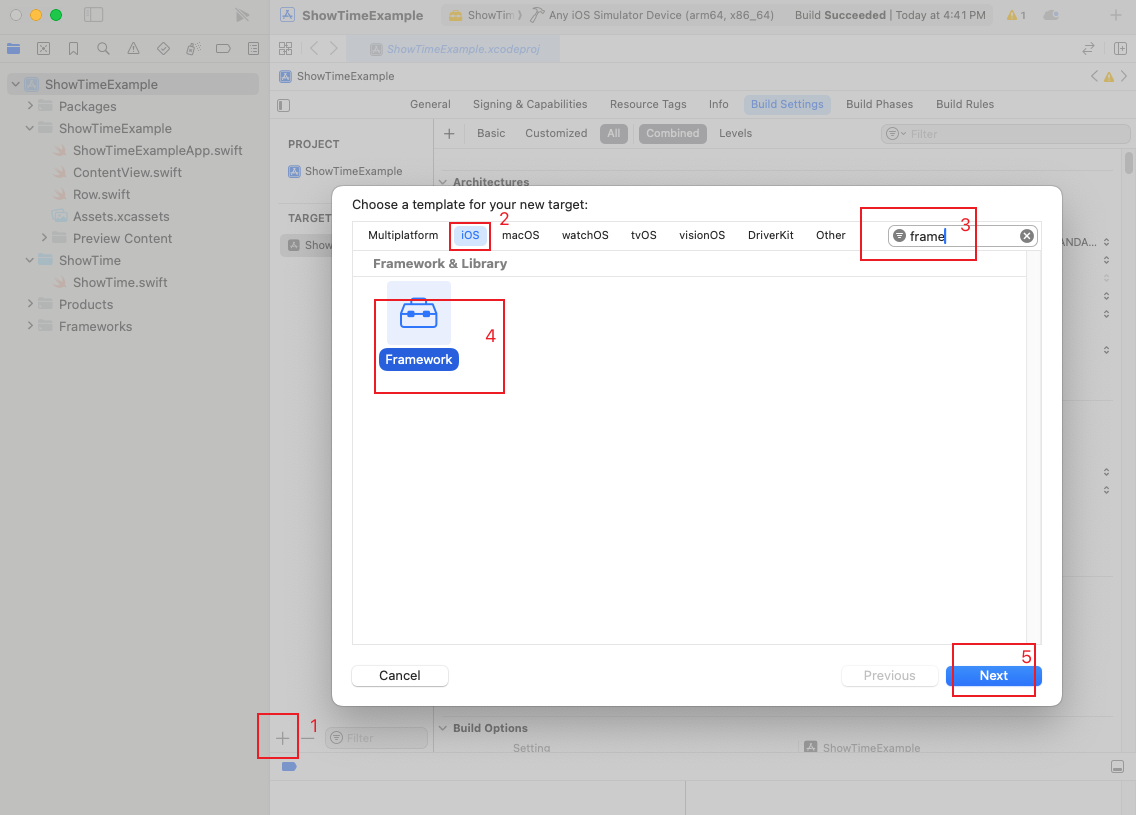
步骤2: Product Name里输入ShowTime Organization Identifier里随便输入 点击Finish 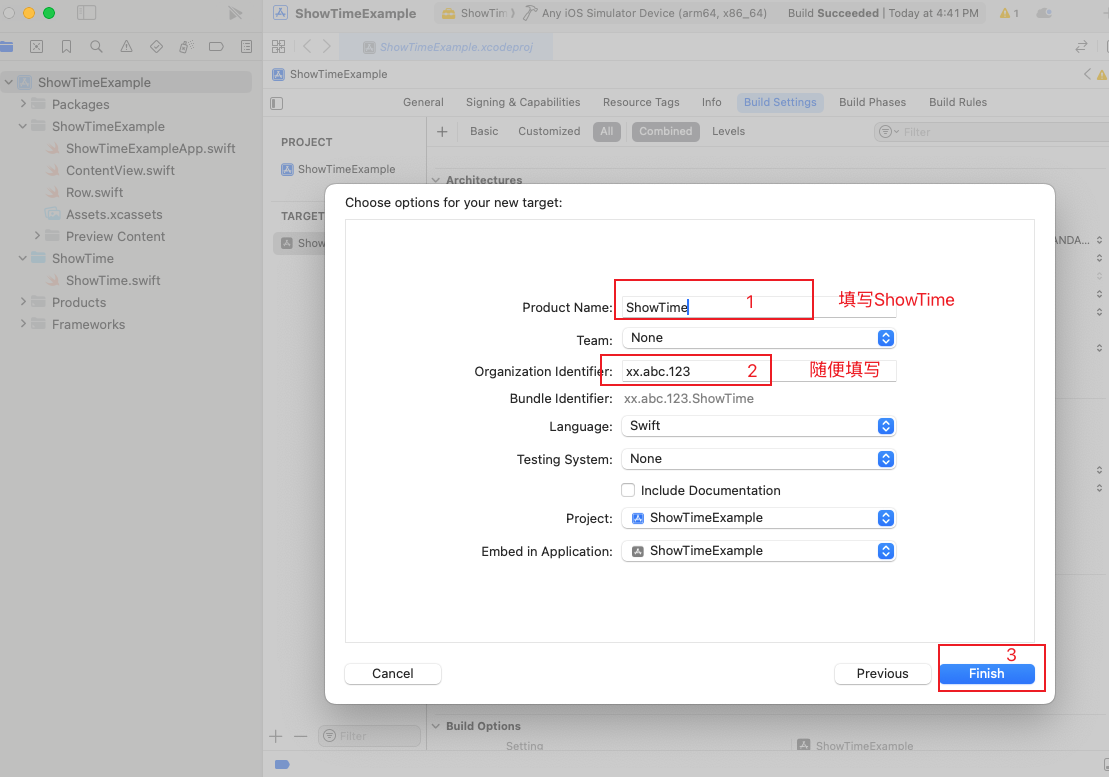
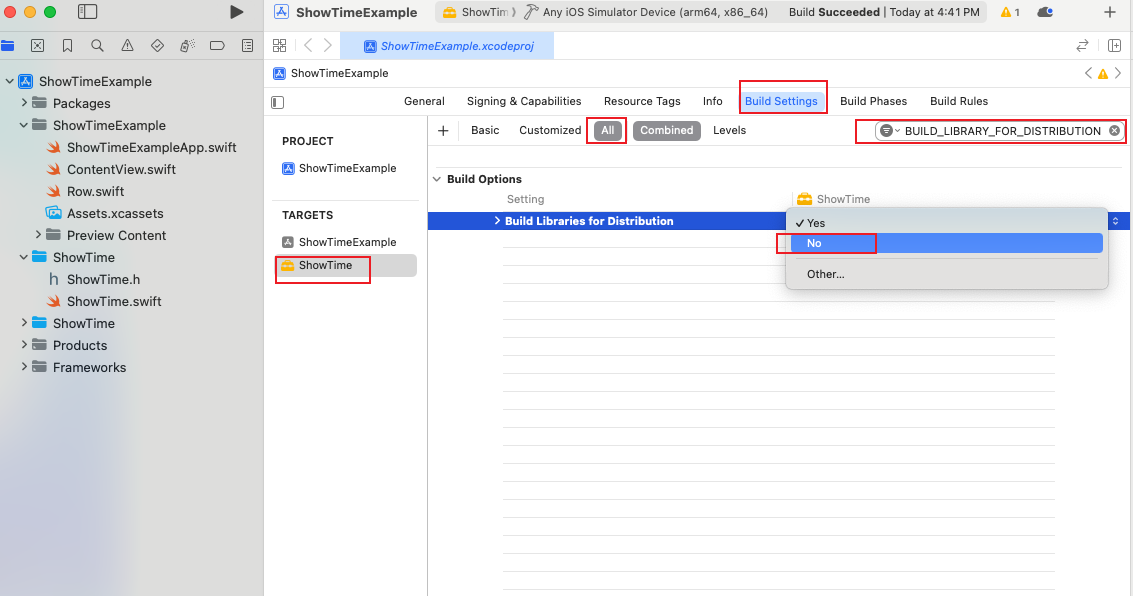
步骤3: 在Build Settings里, 将Defines Module、BUILD_LIBRARY_FOR_DISTRIBUTION两个都设置成No 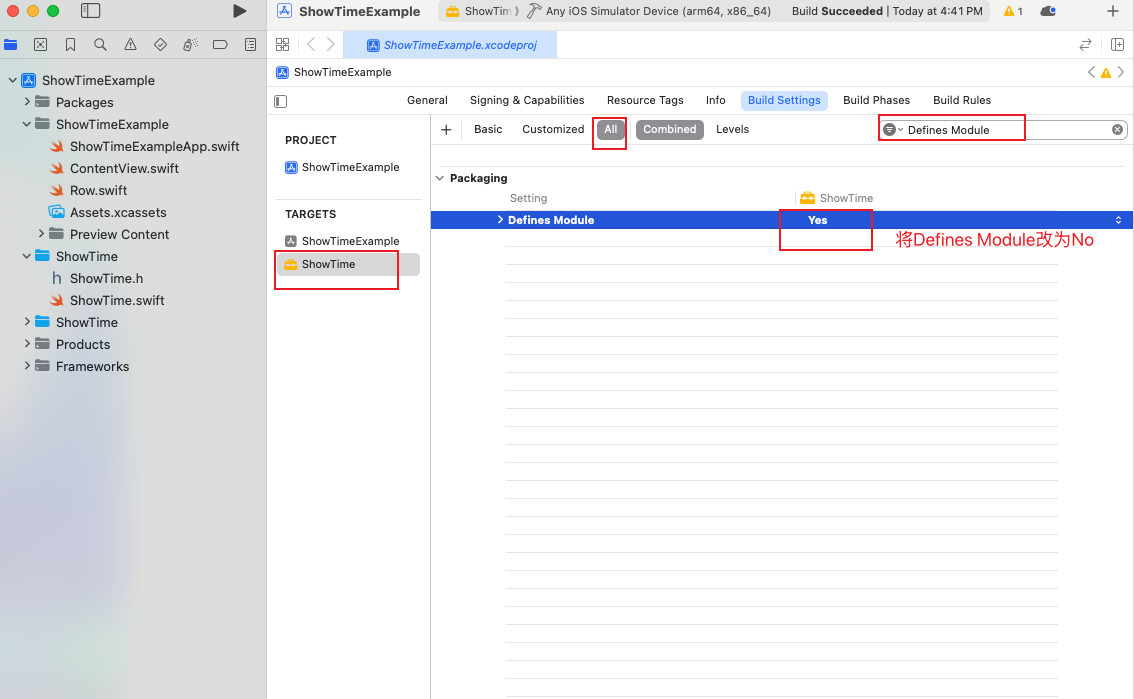
步骤4: 将Scheme文件夹ShowTime里的ShowTime.h删除 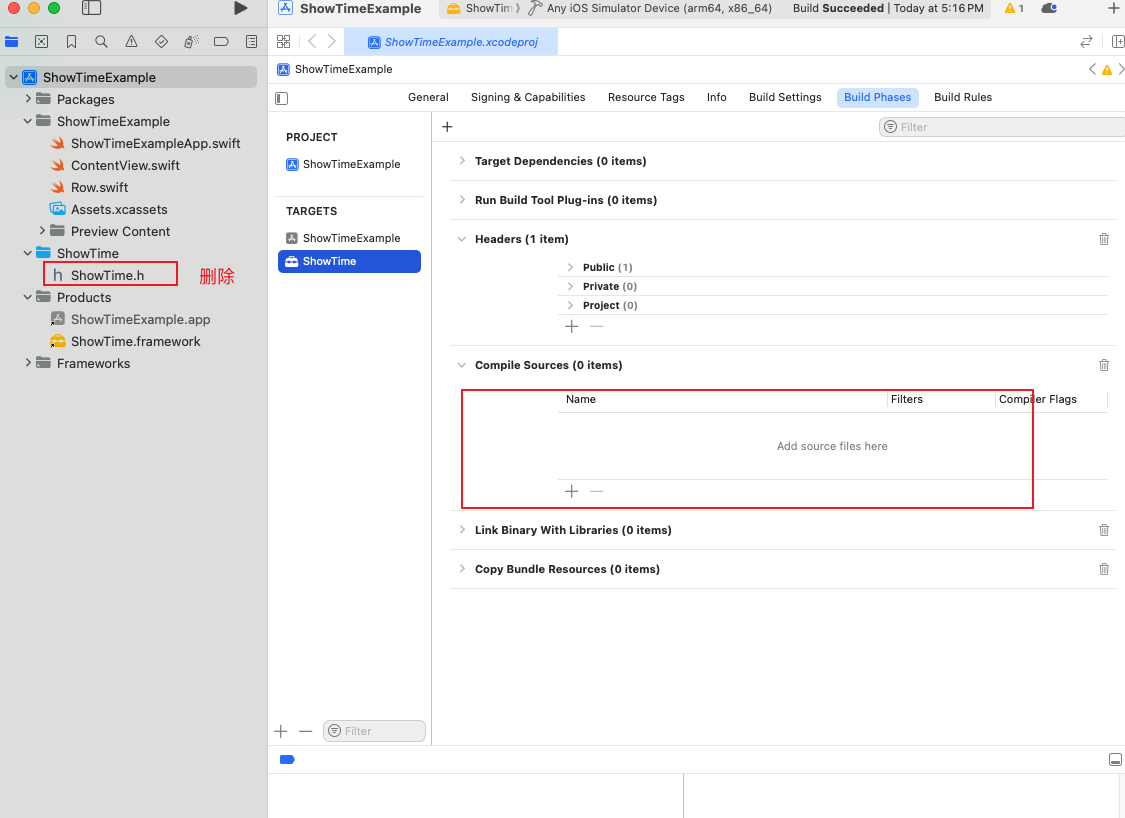 将源文件
将源文件ShowTime.swift加入Scheme文件夹ShowTime 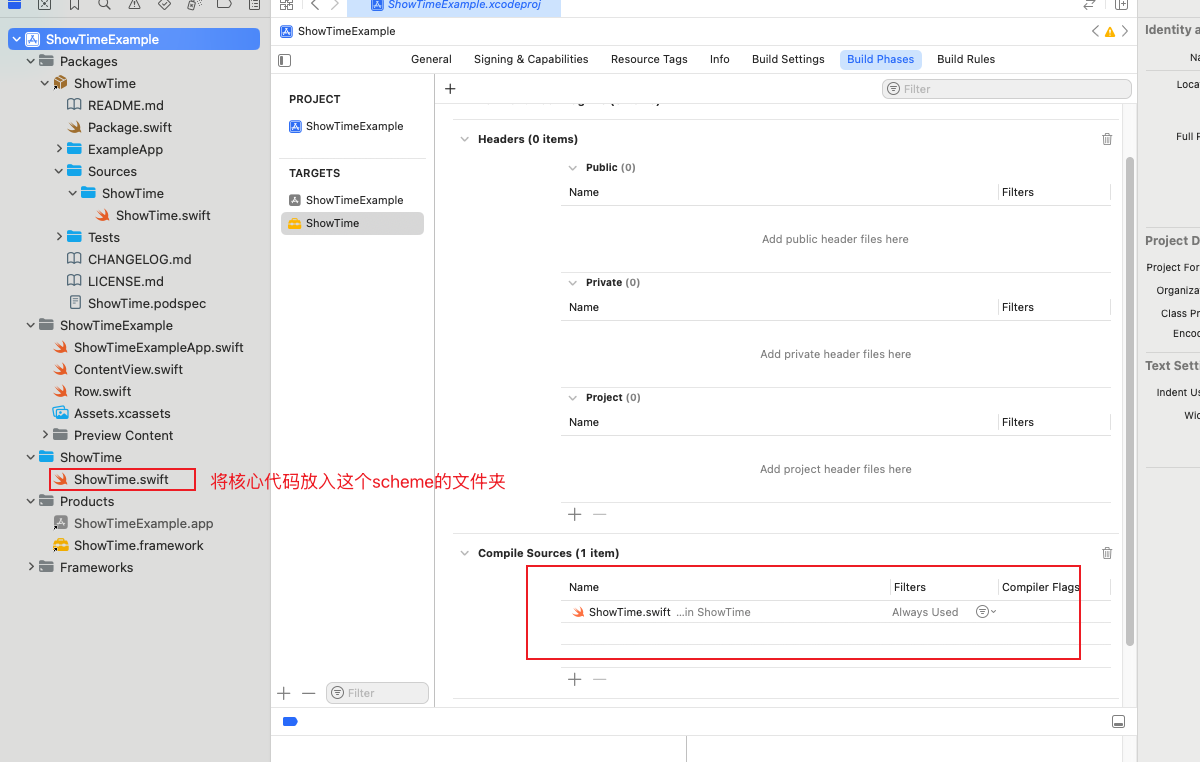
步骤5,编译出framework: 使用xcode自动导出的效果 scheme选择ShowTime -> target选择 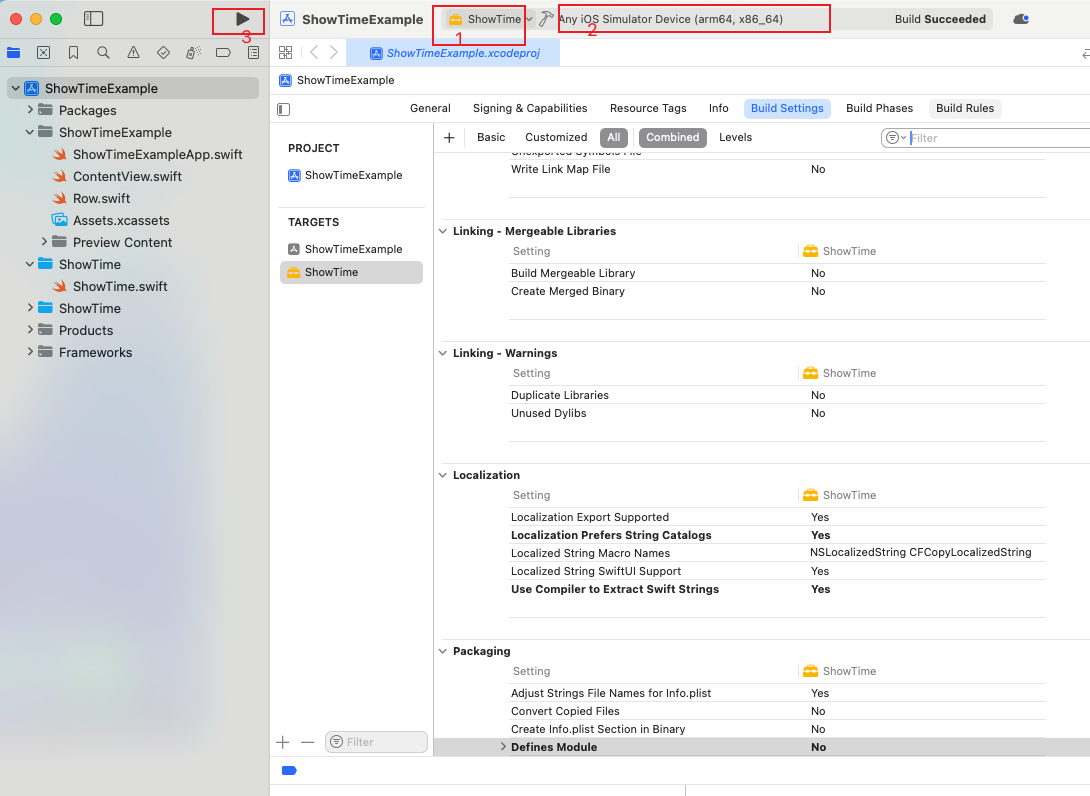
步骤6: Xcode->Product->Show Build Folder in Finder 在打开的文件夹里:Products-> Debug-iphonesimulator
使用脚本导出的效果方式
1
2
3
4
5
6
7
8
9
10
# 进入项目位置
cd /Users/xxx/xx/xx/ExampleApp
# 检查scheme列表
# xcodebuild -list
xcodebuild \
  -scheme ShowTime \
  -destination 'generic/platform=iOS Simulator' \
  -configuration Debug \
  BUILD_LIBRARY_FOR_DISTRIBUTION=NO \
  build
将得到的ShowTime.framework加入到运行汇总的模拟器
1
2
export SIMCTL_CHILD_DYLD_INSERT_LIBRARIES=path/to/ShowTime.framework/ShowTime &&
xcrun simctl launch booted org.wikimedia.wikipedia
或者直接注入到启动模拟器的启动桌面,就可以所有操作点击都能看到
1
2
3
4
5
6
7
8
# 注入动态库
xcrun simctl spawn booted launchctl setenv DYLD_INSERT_LIBRARIES /path/to/ShowTime.framework/ShowTime
# 重启桌面程序
xcrun simctl spawn booted launchctl stop com.apple.SpringBoard

# 两条命令合并的的命令,我的本地是把库放在了桌面
xcrun simctl spawn booted launchctl setenv DYLD_INSERT_LIBRARIES ~/Desktop/ShowTime/ShowTime.framework/ShowTime && \
xcrun simctl spawn booted launchctl stop com.apple.SpringBoard
解除该库的影响
1
2
3
4
5
6
7
# 将环境去掉动态加载的库
xcrun simctl spawn booted launchctl unsetenv DYLD_INSERT_LIBRARIES
# 重启桌面
xcrun simctl spawn booted launchctl stop com.apple.SpringBoard
# 合并的命令
xcrun simctl spawn booted launchctl unsetenv DYLD_INSERT_LIBRARIES ; \
xcrun simctl spawn booted launchctl stop com.apple.SpringBoard
如果重启模拟器,就会自动失效
如果是真机,
方案一:
可以在源码里引入ipa,但是这个只有能控制源码的时候可以,测试起来也不方便
方案二
可以就将真机使用的库编译出来,然后将真机的ipa包进行重签,将动态库重签到ipa包
This post is licensed under CC BY 4.0 by the author.